Everything you need to deliver successful implementations

From project kickoff to go-live celebration. Explore the tools that help implementation teams move faster, stay aligned, and keep clients engaged.

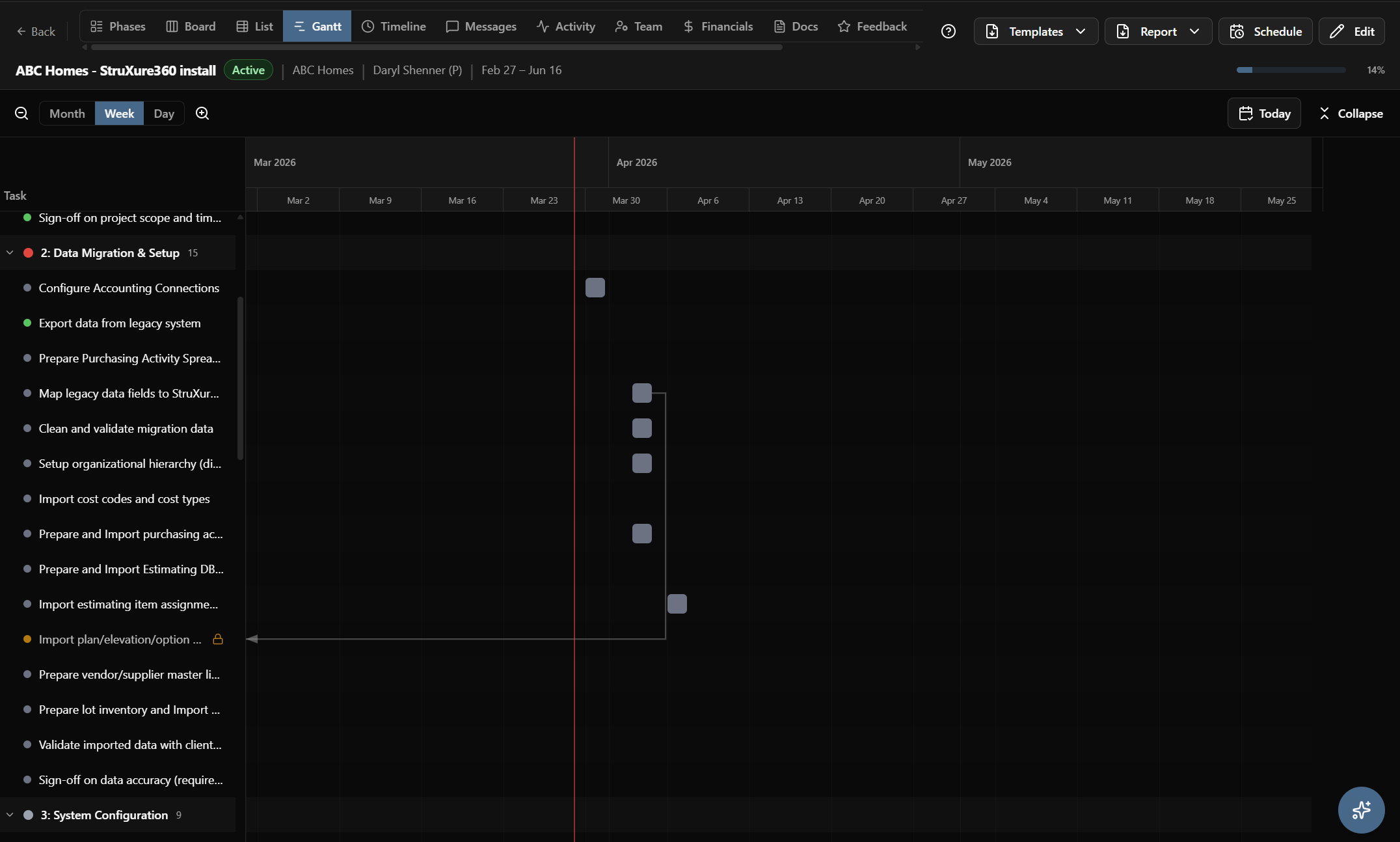
Project Management

Manage every implementation with the views and tools your team needs. Track phases, tasks, dependencies, and deadlines across your entire portfolio.

  • Gantt, board, list, and timeline views
  • Task dependencies and critical path
  • Baseline comparison: planned vs. actual
  • Phase-based project structure
  • Bulk operations and inline editing
Screenshot: Project Gantt view

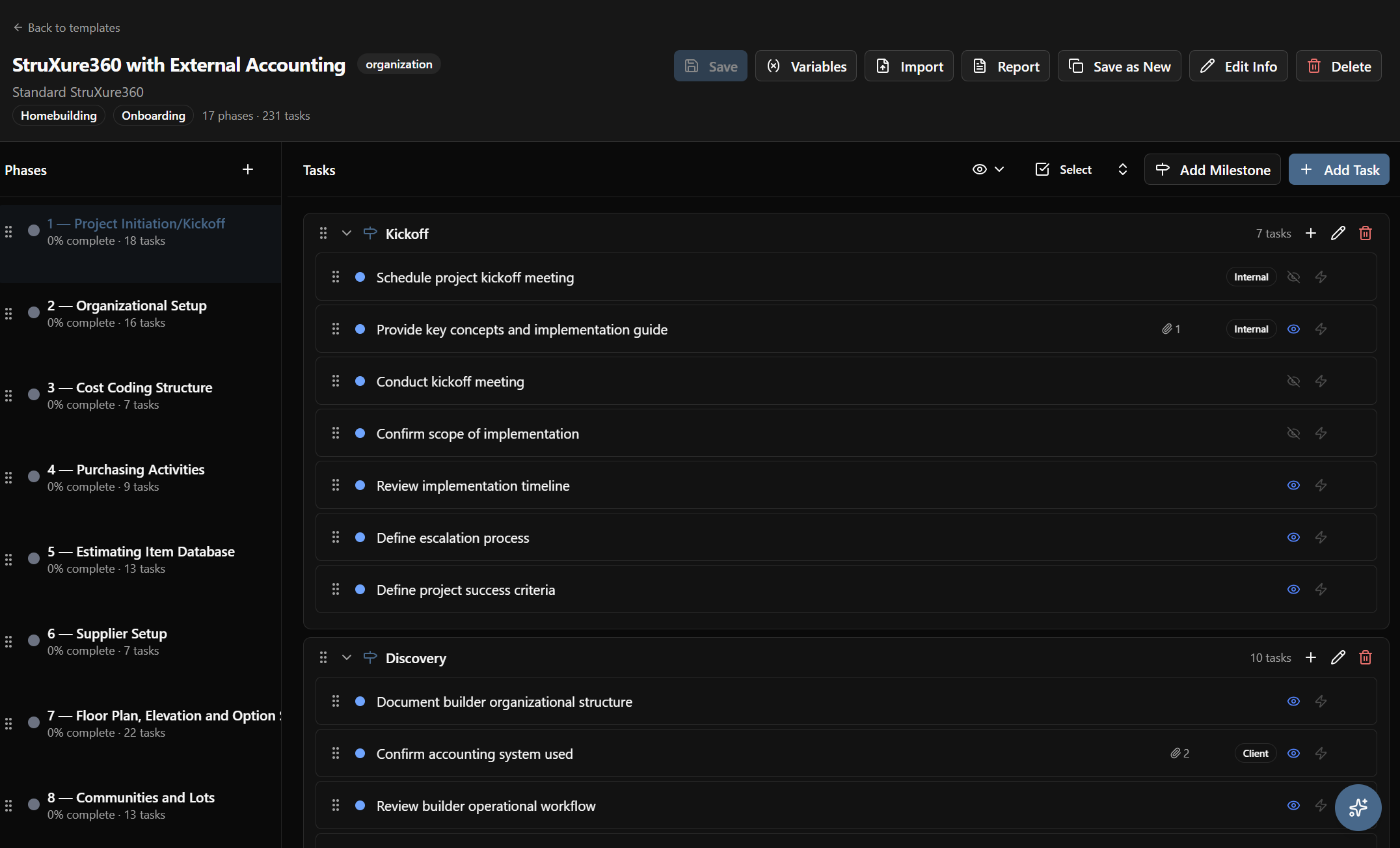
Templates & Playbooks

Standardize your delivery process. Build reusable templates with conditional logic that adapts to each client’s needs automatically.

  • Project templates with phases, tasks, and assignments
  • Conditional playbooks with if/then logic
  • Variable substitution (client name, dates, contacts)
  • Save any project as a template
  • Import from CSV or build from scratch
Screenshot: Template builder

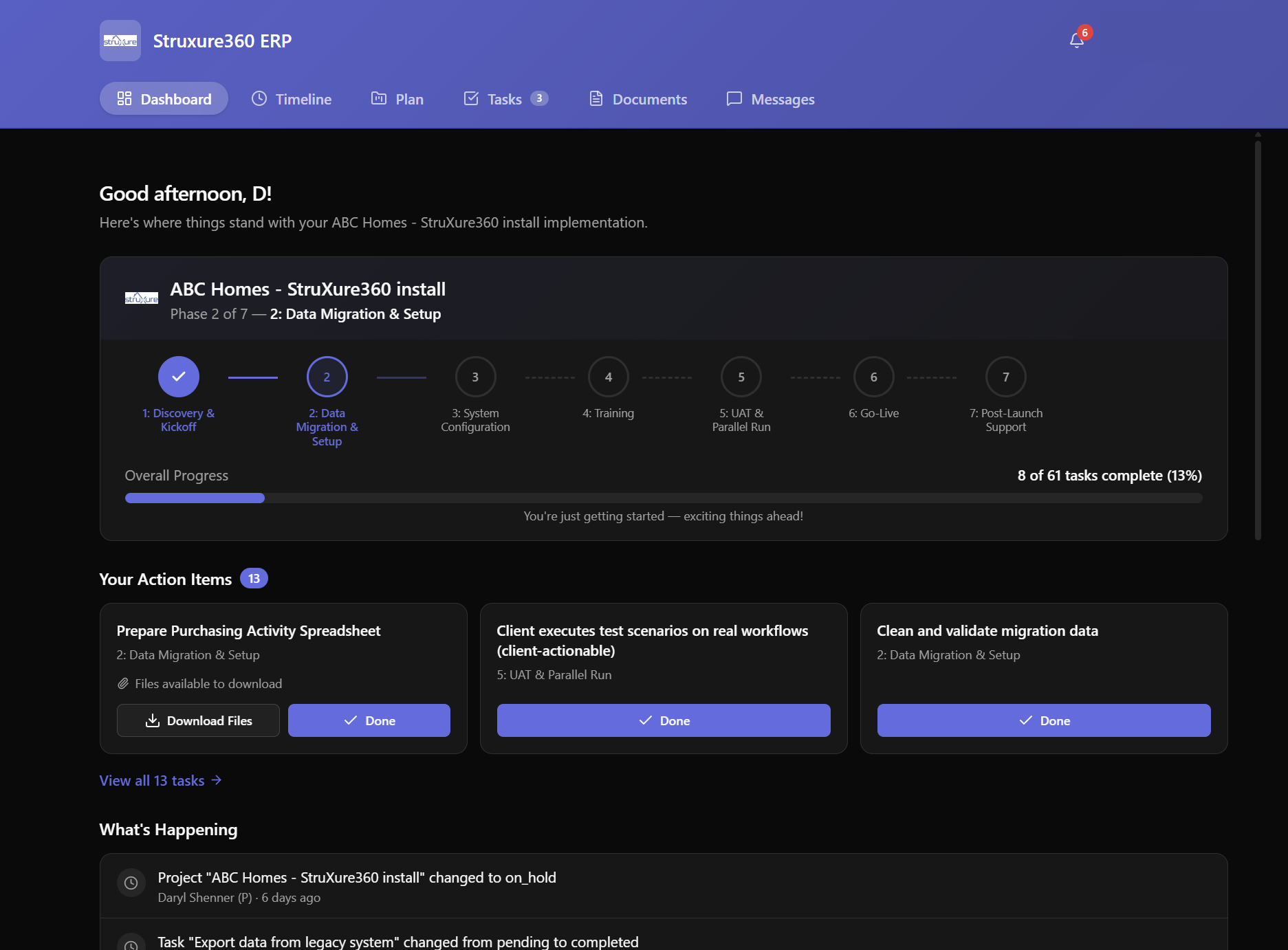
Client Portal

Give your clients a guided experience — not a task dump. The white-label portal walks them through every step with context, forms, and progress visibility.

  • Branded “What’s Next” dashboard
  • Step-by-step task wizard
  • Structured intake forms and file upload
  • Phase timeline with progress indicators
  • Activity feed and document access
  • E-signature approvals built in
Screenshot: Client portal dashboard

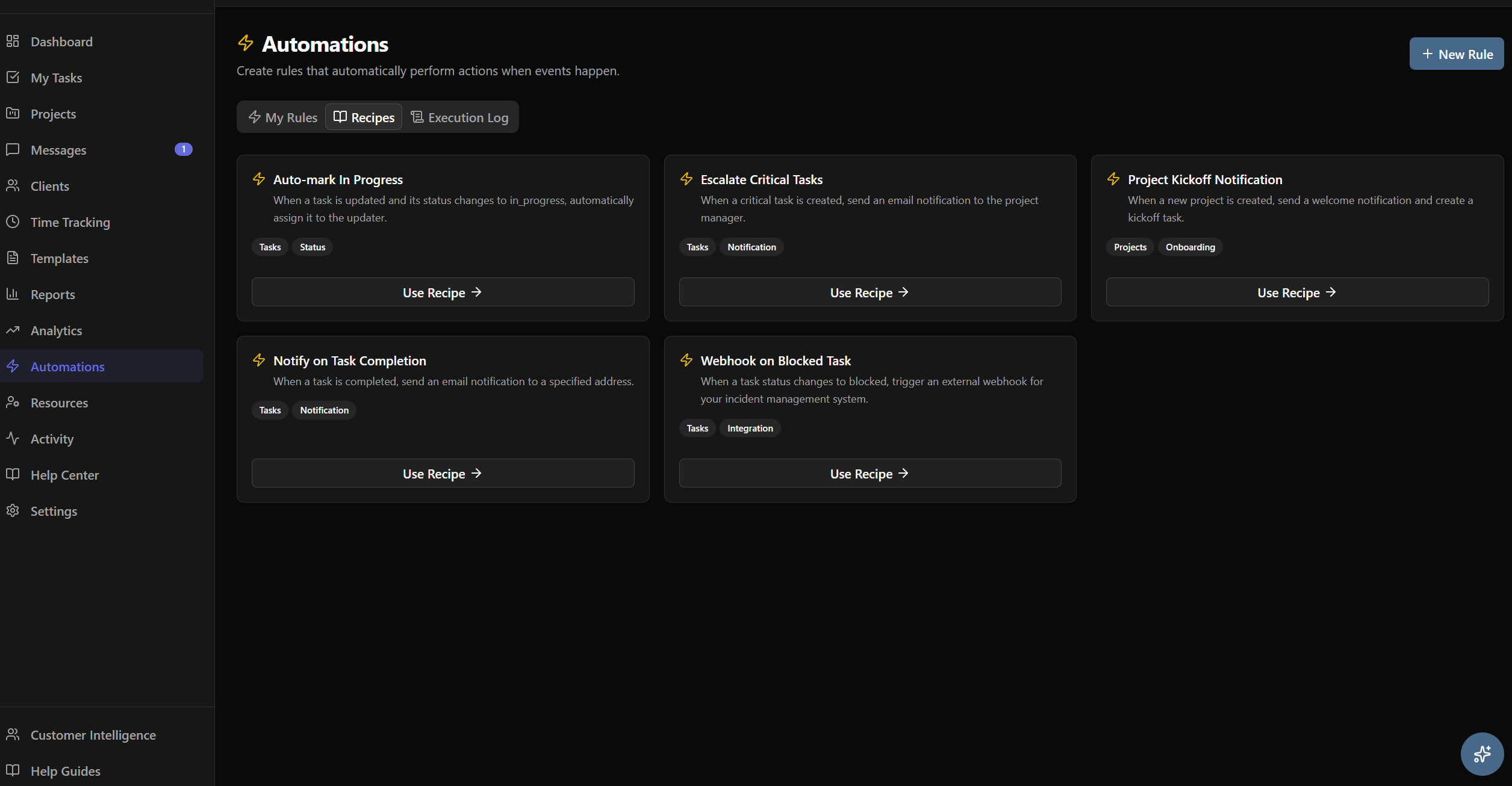
Automation & Rules Engine

Set it and forget it. Build automation rules that handle escalations, notifications, and task routing so your team can focus on delivery.

  • If/then automation rules
  • SLA tracking with breach alerts
  • Auto-escalation for overdue tasks
  • Conditional task creation based on client inputs
  • Notification rules by role or event
Screenshot: Automation rules builder

AI Intelligence

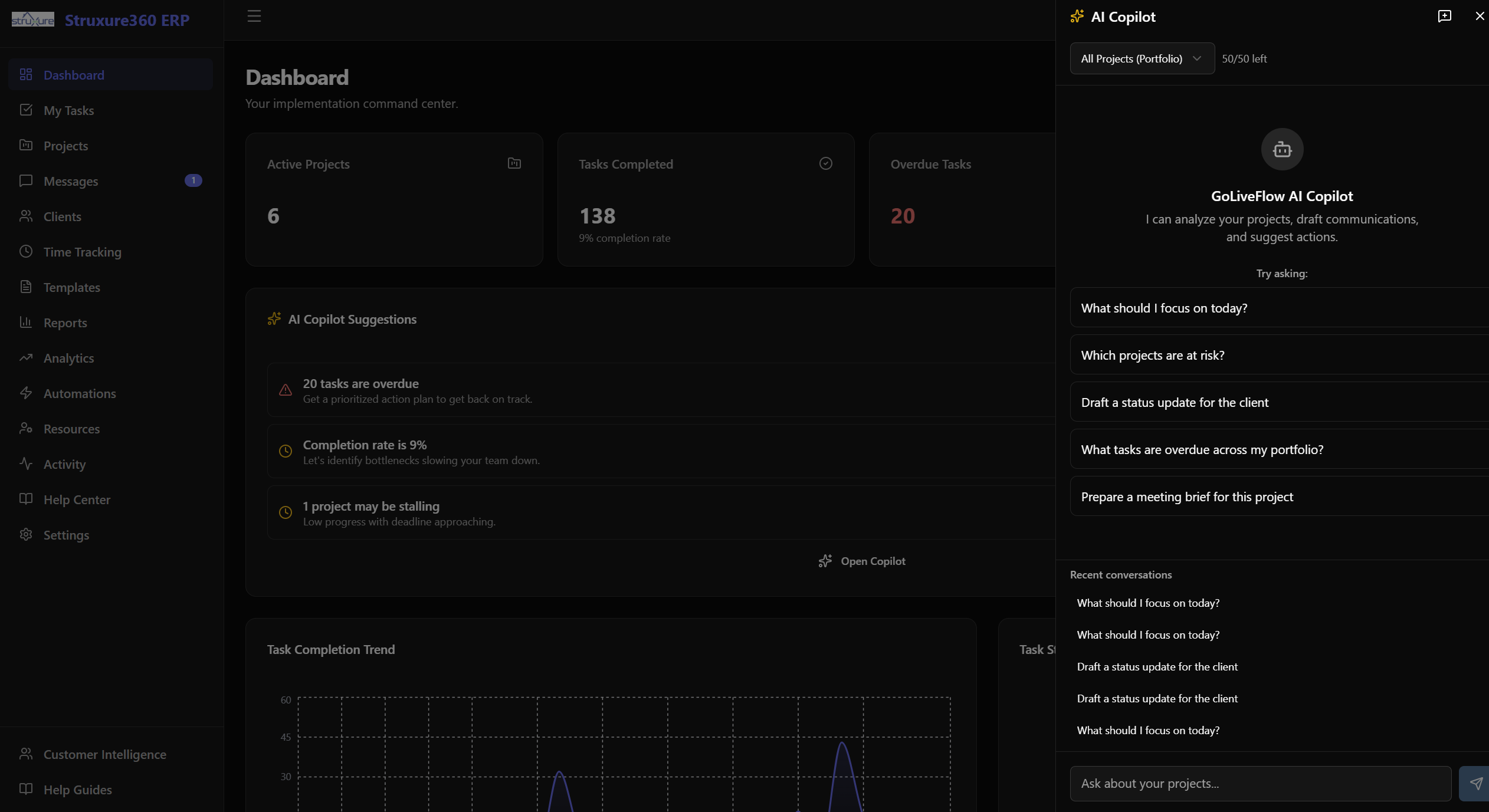
Your AI copilot reads every project signal and tells you what matters. Ask questions, get risk assessments, and generate status updates from real data.

  • AI risk scoring with coaching prompts
  • Natural language project copilot
  • Client engagement scoring
  • Auto-generated status updates and meeting briefs
  • Portfolio-wide triage and prioritization
Screenshot: AI Copilot conversation

Analytics & Reporting

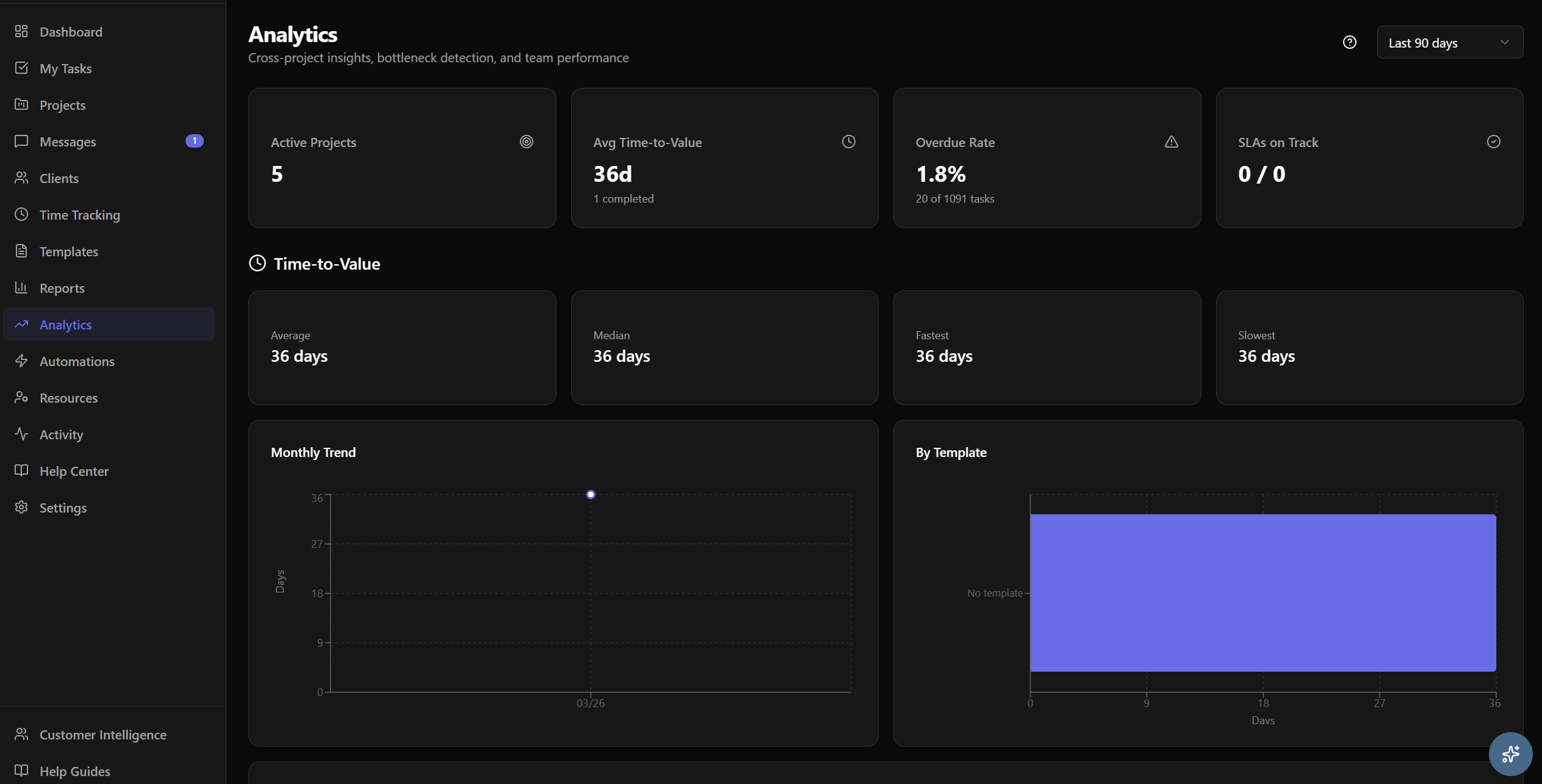
Understand where your implementation process excels and where it breaks down. Get data-driven insights to continuously improve delivery.

  • Time-to-value analytics across all projects
  • Bottleneck detection: see where projects stall
  • Team performance and task velocity
  • Automated email digests for leadership
  • CSV export and custom report building
Screenshot: Analytics dashboard

Resource Management

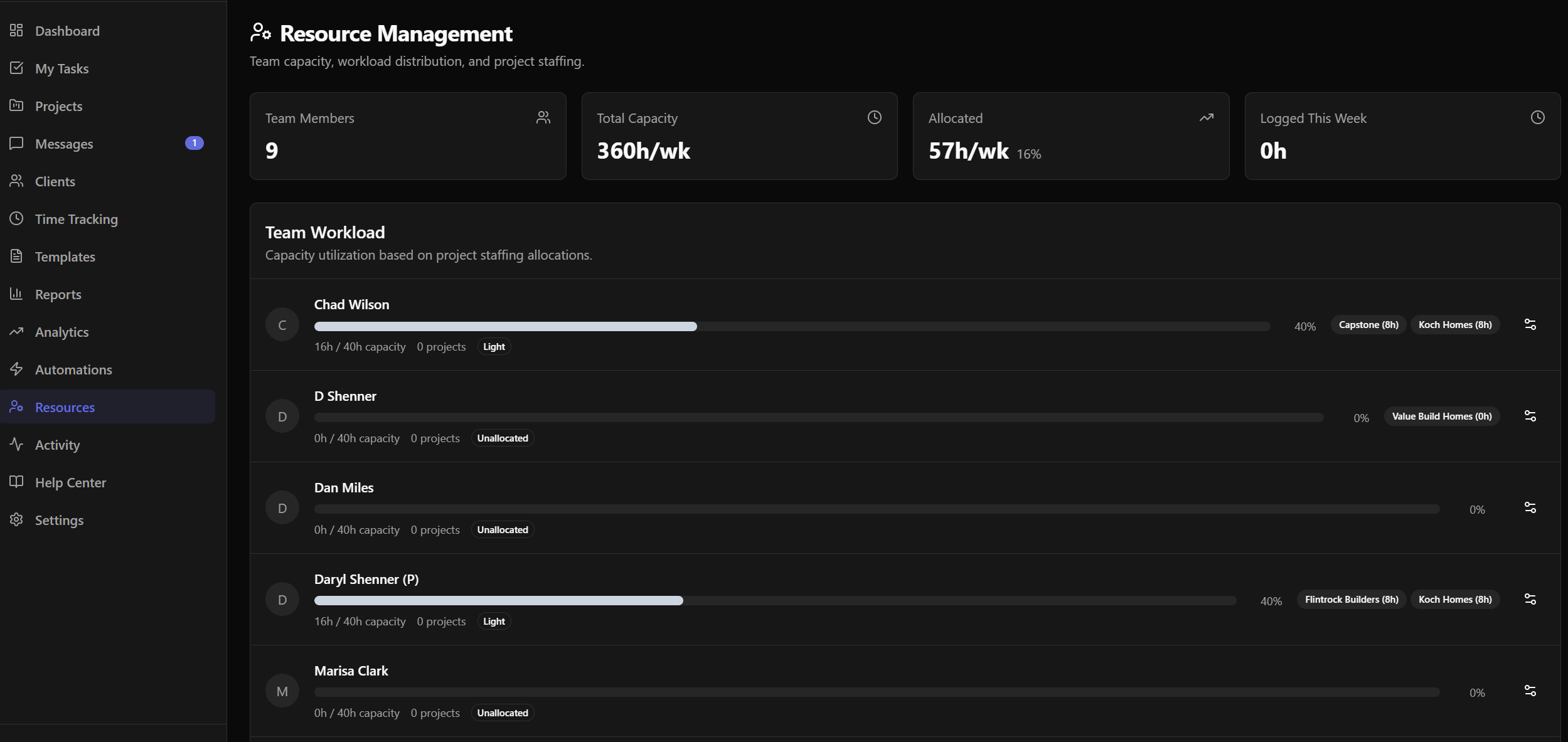
Know who’s overloaded before they burn out. Balance workloads, plan capacity, and spot conflicts across your team and project portfolio.

  • Team workload and capacity views
  • Assignment conflict detection
  • Utilization tracking by team member
  • Time tracking and timesheets
Screenshot: Resource workload view

Financials & Budgets

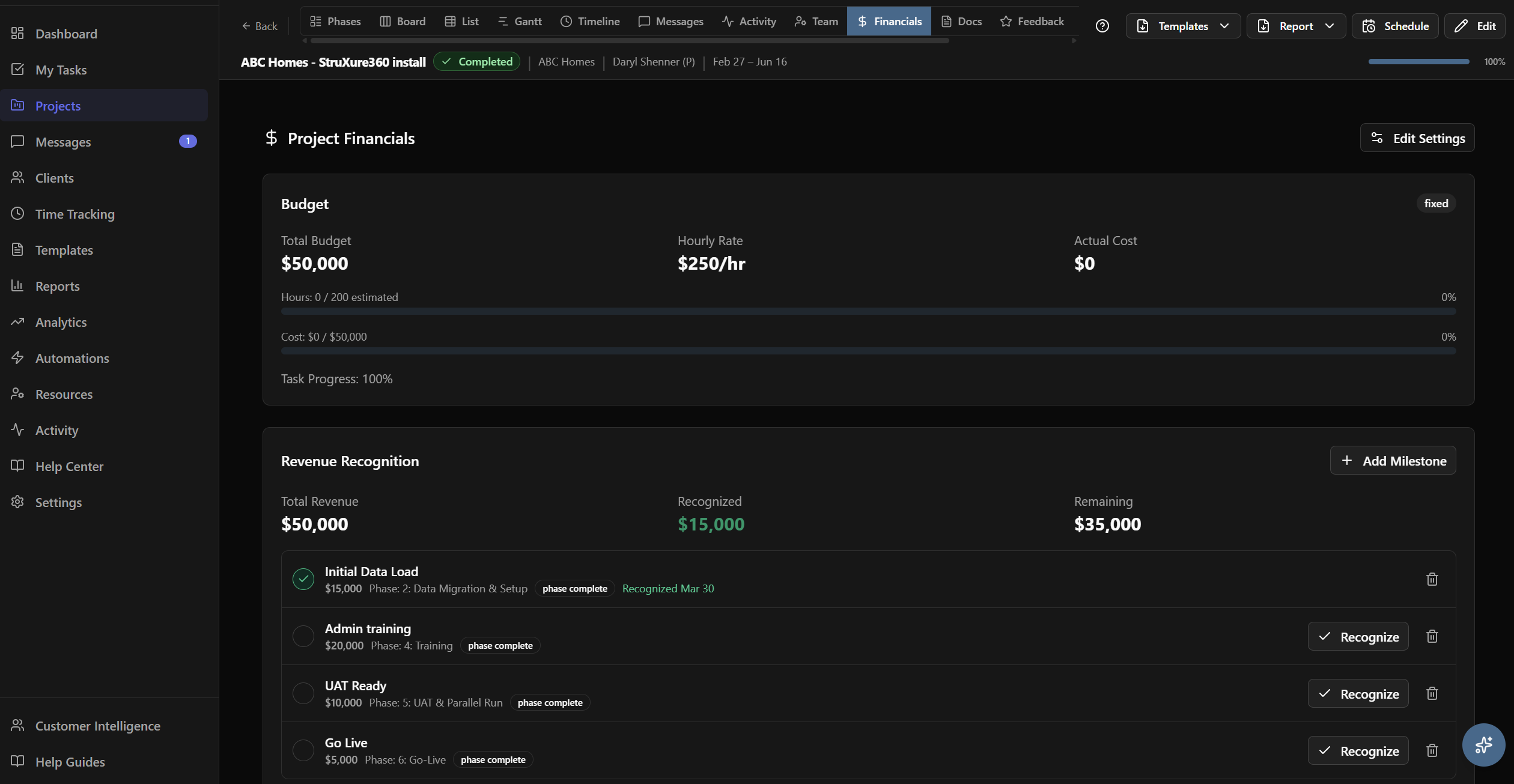
Track project budgets, revenue milestones, and profitability. Know if a project is on budget before it’s too late to course-correct.

  • Project budget tracking
  • Revenue milestone planning
  • Profitability reporting per project
  • Budget burn rate and forecasting
Screenshot: Budget tracking view

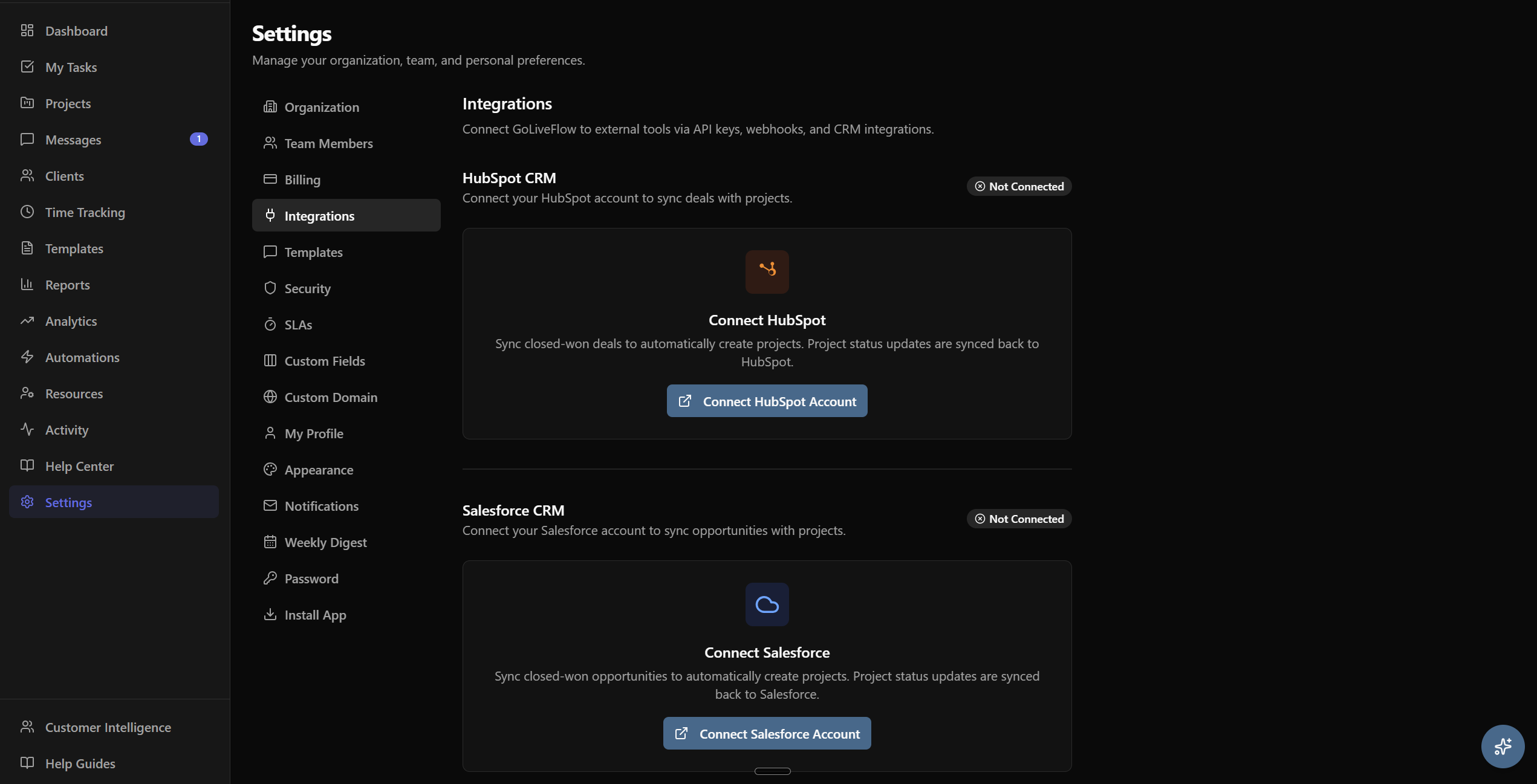
Integrations

Connect GoLiveFlow to the tools your team already uses. Sync data, trigger actions, and keep everything in one place.

  • HubSpot CRM sync
  • Zapier (5,000+ apps)
  • Slack notifications
  • Google Calendar & Outlook sync
  • Full REST API with webhooks
  • SendGrid for email delivery
Screenshot: Integrations settings

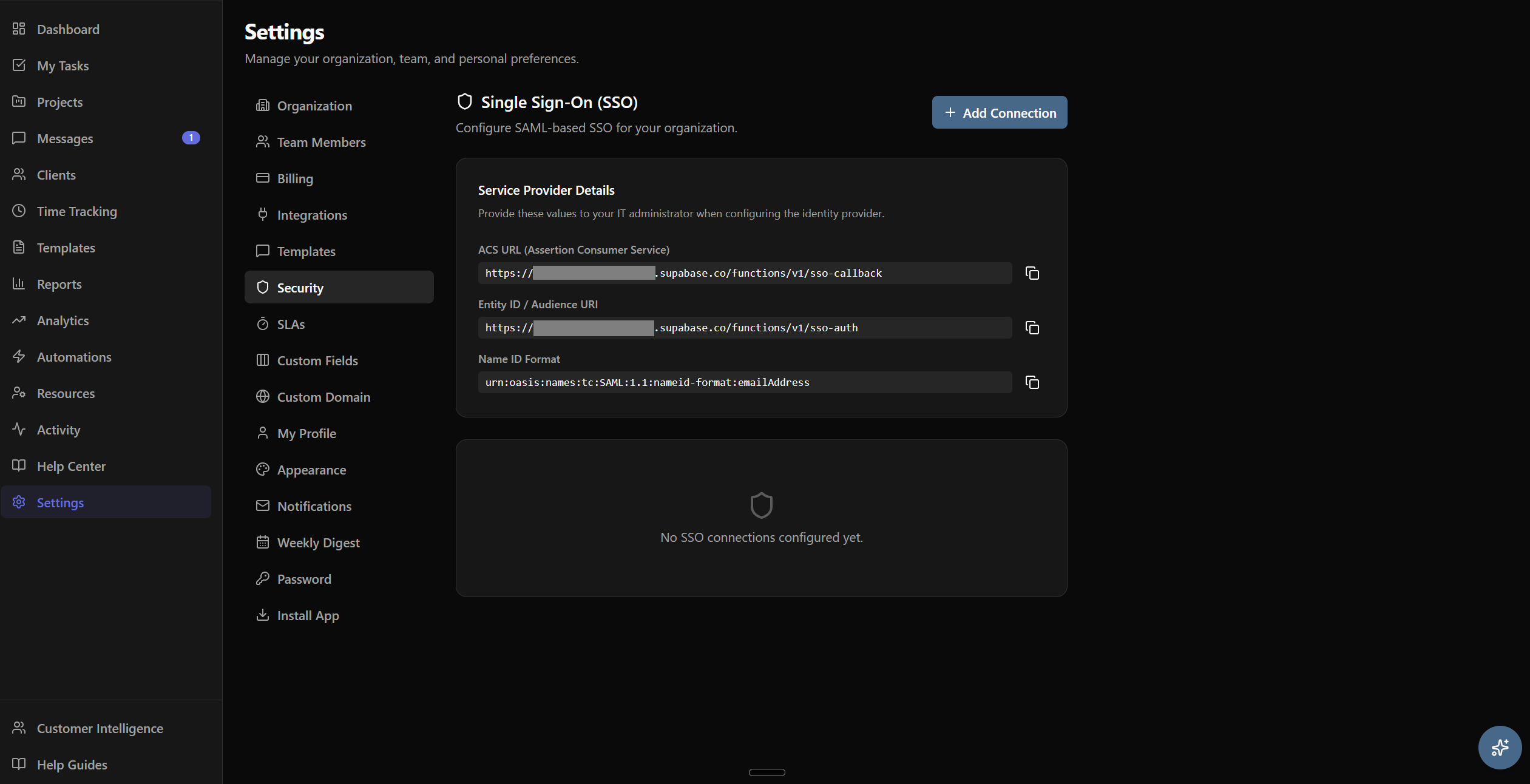
Enterprise & Security

Built for teams that need advanced security, customization, and scale. GoLiveFlow grows with your organization.

  • SSO / SAML authentication
  • Custom fields and metadata
  • Multi-language support (5 languages)
  • White-label portal (Partner tier)
  • Role-based access controls
  • SOC 2 compliance in progress
Screenshot: Enterprise security settings

Stop onboarding chaos.
Start delivering faster.

Join the teams using GoLiveFlow to cut implementation time, keep clients engaged, and hit every go-live date. 30-day free trial — no credit card required.